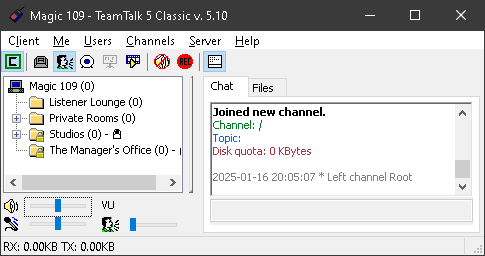
If you’re interested in chatting with your fellow listeners or the presenters here at Magic 109, we encourage you to either create an account on our TeamTalk server or login with an existing account!
What is TeamTalk?
TeamTalk is a conferencing platform that allows you to converse with others by voice. There are other features such as video conferencing, instant message, remote desktop, and more. You can learn more about TeamTalk on their official website here.
Features
Some features you’ll find on our TeamTalk server include the following:
- A private environment. Our TeamTalk server is not open to the general public. You must register for an account to gain access.
- A ‘Listener Lounge’ for general conversation. This area is open to ALL registered users and promotes open dialogue with listeners and presenters alike.
- Private Rooms for a more intimate atmosphere. Sometimes TeamTalk can get loud, so we’ve created some alternative rooms for listeners to get away for a more private experience. These rooms have a smaller user max, meaning there will be less people in the room.
- Official studios for the presenters. Some of our presenters have their own studios that are only open by invitation only.
- All rooms are using the OPUS Music codec at 48kHz with 96kbps quality. This is very high quality sound with stunning clarity and can in most cases satisfy both mobile and wi-fi connections.
- Occasionally, we stream Magic 109 in some of the rooms. Enjoy what’s playing on our streaming server right on TeamTalk. The best part is since TeamTalk allows you to control the volumes of each user, this gives you the ability to control the volume of our streaming feed!
- Oftentimes, presenters bring the listeners on TeamTalk LIVE on air. This is a great way to interact with your favorite presenters on their show!